How to Write Sound into an AI Video Prompt
A practical method for prompts that get the soundtrack you want from sound-on video models: one shot, sounds with a visible source, and what to leave out.
With a sound-on video model the prompt does two jobs: it describes the picture and it tells the model what to hear. Most weak soundtracks come from prompts that only do the first job. This guide is the method we use for the example clips on this site, with the exact prompts.
1. Write one shot, not a story
A clip of 4 to 15 seconds is one shot. Describe one place, one subject and one action. When a prompt asks for a story ("she walks in, makes tea, then opens the window"), the picture rushes and the sound turns into a blur of half-finished events.
2. Give every sound a source on screen
The model ties audio to what it draws. A sound with a visible source comes out clear; a sound with no source tends to come out vague or not at all.
- Strong: "rain drums on the tin roof", "the needle settles with a soft crackle", "iron wheels clanking on the rails".
- Weak: "dramatic atmosphere", "epic sound design", "immersive audio".
3. Two or three sounds is enough
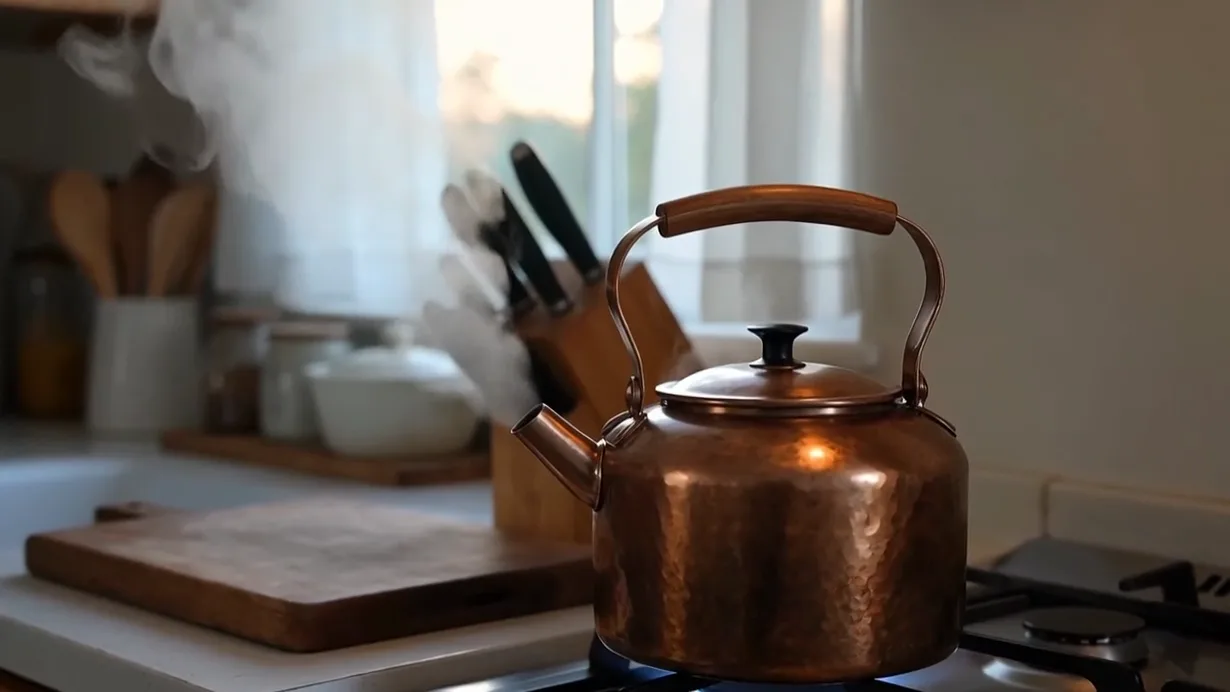
Name the main sound and one or two supporting ones. More than that and they compete. Here is the prompt behind the kettle clip on our home page:
A copper kettle on a gas stove in a quiet kitchen at dawn begins to whistle, steam curling up from the spout, the soft hiss of the blue flame and the rising whistle filling the room.
Two sounds (the flame's hiss, the whistle), both visible, both in the order they happen.
4. Put the sound in time order
Models follow the order of the sentence surprisingly well. If the record should crackle before the music starts, say so in that order:
Close-up of a vinyl record dropping onto a turntable, the tonearm lowers and the needle settles with a soft crackle, then a warm jazz piano melody begins, dust motes drifting in amber lamp light.
5. Keep music simple and speech original
Short, generic music cues work ("a warm jazz piano begins"). Named songs, lyrics and long melodies do not. Original characters can talk, but keep lines short. Prompts about real people and public figures are refused before anything is charged.
6. Match the model to the job
All four models here return sound. Use Veo 3.1 Lite (8 credits per 720p clip) to test a prompt cheaply, then move to Kling 3.0 or HappyHorse 1.1 when you need up to 15 seconds or 1080p. If you start from a photo, write the motion and the sound for what is in that photo; see image to video with sound.
A checklist before you press Generate
- One shot, one place, one action.
- Two or three sounds, each with something on screen making it.
- Sounds in the order they happen.
- No real people, no brand logos, no text on screen.
- Shortest length first; rerun longer once the sound is right.
Failed renders are refunded automatically, and new accounts get 8 free credits after email verification. Try a prompt now.
Try it in the generator
Write a scene with its sounds, pick a model and see the credit cost before you render.